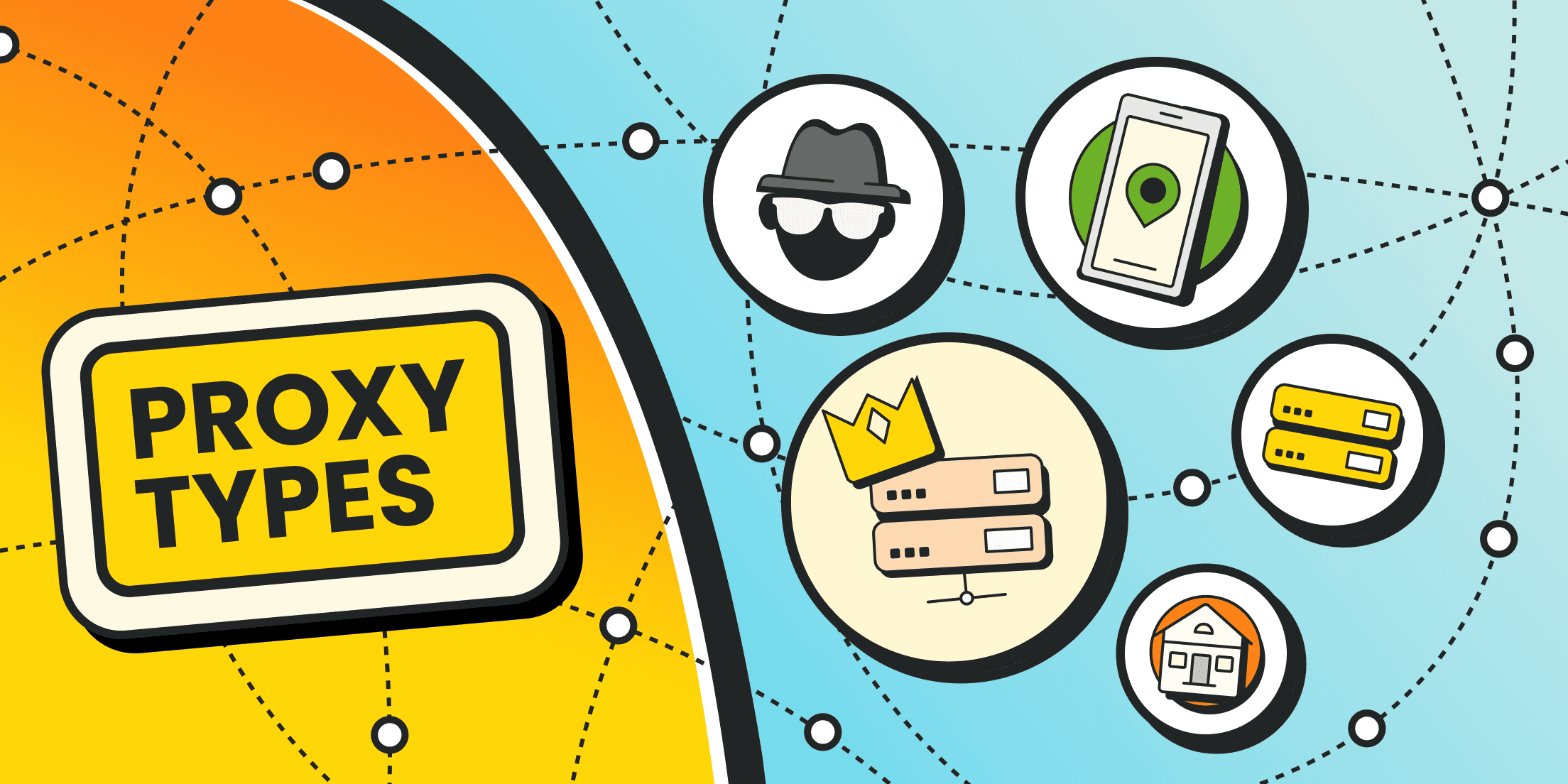
A “proxy” isn’t one specific service or a single tool. So, what are the different types of proxies, and why isn’t proxying a single, unified technology? In practice, there are many proxy types, and they vary by use case, traffic flow, and proxy server architecture
At the most basic level, any proxy server is a network-layer middleman between you and the destination. There’s no universal proxy that fits every scenario or business need. But we’re not stuck with one-size-fits-all anymore — today you can choose from different types of proxies.
How Proxy Servers Work at the Network Layer
At the network layer, a proxy acts as an intermediary between a user’s device and external resources. Here’s the simplest user-side view of what happens.
- When you connect through a proxy, your computer doesn’t talk to the website directly. Instead, it sends the request to the proxy server first. The proxy server then makes the same request to the target website on your behalf.
- From the website’s perspective, the incoming request appears to come from the proxy’s IP address. The proxy receives the response from the destination server and forwards it back to your device.
- That’s the basic mechanism behind many types of proxy server: the proxy can mask your real IP address and your approximate location.
Depending on the setup, the data path can also include encryption and decryption if that functionality is supported.
Key Types of Proxy Servers Explained: Classification
In practice, we classify types of proxies using several dimensions: where the proxy sits in the network, how traffic is routed, proxy anonymity levels, which protocol is supported, what kind of IP address is used, and other criteria.
What about “other criteria”? Those are the details that matter in narrower use cases. For example, you might already know the types of proxy that fit your task, but still need to decide on encryption support or bandwidth limits, especially if you’re buying proxies from a provider.
But let’s not get ahead of ourselves. If you understand the basic breakdown of different types of proxies, you’ll be able to pick what actually fits a specific workflow instead of guessing.
Types of Proxies by Protocol

Types of proxy servers can be grouped by what they’re designed to relay: web traffic, generic TCP/UDP connections, file transfers, email, DNS lookups, and so on.
HTTP(S) proxies
HTTP proxies operate at the HTTP (web) layer. They’re commonly used for handling web traffic, or things like caching pages, enforcing access policies, or logging requests in a corporate network.
Classic HTTP proxies are meant for unencrypted web traffic (port 80) and can’t natively handle TLS encryption end-to-end.
They can modify HTTP headers (for example, adding X-Forwarded-For), which is useful for gateways, analytics, and access control.
HTTPS proxies are essentially an HTTP proxy setup that supports encrypted HTTPS connections.
Depending on configuration, they may pass encrypted traffic through (“tunnel” it), or terminate TLS and inspect, decrypt traffic if the proxy has the required certificates and the environment allows it.
That’s why HTTPS proxies show up in workflows involving sensitive data, where secure transport is a priority.
SOCKS proxies
SOCKS proxies use the SOCKS protocol (SOCKS5 is the most common). SOCKS is a lower-level proxying method: it forwards arbitrary traffic between the client and the server.
Because of that, a SOCKS5 proxy can support a wide range of connection types: websites, mail servers, peer-to-peer networks, gaming apps, and more. It can handle both TCP and UDP traffic.
Unlike an HTTP proxy, SOCKS doesn’t rewrite data or inject headers. It’s more universal, but for plain web browsing it may feel a bit slower, and it doesn’t provide built-in caching or content filtering
If you want to go deeper, a dedicated SOCKS vs HTTP proxy comparison makes the differences in behavior and features much clearer.
FTP proxies
FTP proxies are used for file transfers over FTP. The proxy accepts the request, authenticates the user (including anonymous access), and relays file transfers via the control channel (21) and data channel (20).
FTP traffic isn’t encrypted by default, so FTP proxies are typically used only with extra security measures in place.
SMTP proxies
You can also run SMTP proxies for sending and receiving email, filtering spam, and scanning for malicious attachments. They act as an intermediate mail server over SMTP ports 25, 587, or 465.
The proxy receives the email, checks it, and forwards it to the destination SMTP server.
DNS proxies
A DNS proxy redirects DNS queries from devices to the appropriate resolvers, caches results to speed up repeated lookups, and can filter domains.
This proxy server is often used to control name resolution at scale, apply basic content filtering, or access region-specific content that’s otherwise blocked based on your current IP.
CGI proxies
CGI proxies provide access to network resources through a web interface. That means you don’t need to configure browser or system proxy settings or deal with ports manually.
It’s not the most private or secure option, but it’s often used as a lightweight alternative for quick browsing: you open a CGI proxy service, paste the URL you want, and the script fetches the content for you using the proxy’s IP address.
Types of Proxies by Network Model Layer

Proxy servers can operate at different layers of the network model, and the layer they operate at largely defines what the proxy can “see” and control.
For example, transport-layer proxies (OSI L4) mainly forward traffic based on IP addresses and ports. They don’t inspect the payload itself, so they act more like a smart relay than a content-aware gateway.
Application-layer proxies (OSI L7) go deeper. These proxy server types can analyze and sometimes modify request content. In web scenarios, that might mean inspecting HTTP headers and URLs, and in more advanced deployments, handling encryption workflows (for example, tunneling encrypted traffic or, in controlled environments, encrypting/decrypting it as part of the proxy server’s inspection pipeline).
Types of Proxies by Access Model

This classification is less about protocols and more about the tradeoff between cost, control, and risk. In other words, “free vs paid”.
Public proxies
Public proxies are free, open to anyone, and usually don’t require authentication. In practice, this type of proxy is often slow, unstable, and not particularly safe.
Because many people share the same endpoints at the same time, those IPs frequently end up on blacklists. It’s also common for public proxies to log activity, and in the worst cases, the proxy operator can inject or serve malicious content. So “free” can come with a very real security and reliability cost.
Shared proxies
Shared proxies are the middle-ground option. They’re often paid, and a single IP is shared by a limited number of users.
That gives you more predictability than fully open proxies, but you still inherit some risk from neighbors. If other users behave aggressively or trigger abuse systems, they can damage the IP’s reputation for everyone. And since server resources are split across a group, you’re not getting performance dedicated specifically to your workload.
Private, or dedicated proxies
With private proxies, you’re the only user. You get a dedicated IP address or a dedicated proxy instance that no one else shares.
It costs more than shared access, but it gives you isolation and control, which is exactly why this option is commonly used for sensitive workflows: payment-related tasks, managing multiple accounts, or anything that depends on a stable, long-lived session.
Types of Proxies by Anonymity Level

Even though we can group proxies by anonymity, you’ll still run into inconsistent naming in the real world. Depending on the provider, “anonymous proxies” can mean almost anything.
So instead of trusting labels, pay attention to practical indicators: the details that determine proxy anonymity levels in practice (what headers are exposed, whether the origin IP leaks, and whether the target can reliably detect proxy usage).
Also keep in mind: public proxies aren’t anonymous at all.
Transparent proxies
Transparent proxies don’t try to hide the fact that a proxy is being used, and they don’t hide your original IP address. The destination can see who you are and can also see that the request passed through a proxy.
So what’s the point? Transparent proxies are useful for internal caching and filtering inside local networks. For example, a corporate gateway where you’re not trying to disguise identity, just control traffic.
Anonymous proxies
Anonymous proxies do hide your real IP address, but there’s a catch.
The target site won’t see your origin IP, but it can often infer that you’re using a proxy based on signals like forwarded headers (for example, X-Forwarded-For) or other request patterns.
This gives you basic privacy, but if you’re crawling or scraping a site that restricts proxy traffic, you can still get detected and rate-limited or blocked.
Elite proxies
“Elite” might sound like marketing, but this type of proxy server aims to protect your identity and hide the fact that a proxy is involved.
An elite proxy doesn’t leak extra data through headers and behaves in a way that makes your session look like a normal direct connection. These proxies are often offered as dedicated (private) IPs or as “limited-share” options with only a small number of users per IP.
Types of Proxies by IP Rotation

How often your IP address changes can help or hurt. It depends on what you’re trying to do.
Dynamic proxies rotate your IP automatically: either on a fixed schedule or on every new session. In practice, you get access to a pool of IPs that are assigned one after another.
That rotation makes it harder to fingerprint proxy traffic (or scraping behavior) and can reduce the risk of getting blocked. For example, Froxy offers IP rotation intervals from 90 to 3600 seconds.
Static proxies give you a consistent IP address that doesn’t change for a long time or changes only occasionally (for example, once per day or on request).
The main advantage is session stability: you can maintain long-lived sessions under the same network identity. Conceptually, it’s close to having a dedicated IP, which can be useful when you need clean separation for multiple business accounts or workflows.
Types of Proxies by IP Source

If you have a “what are the three types of proxies” question, most answers will contain proxies by IP source.
Where an IP address comes from has a huge impact on how much sites trust it and how likely it is to get blocked. That’s why many providers (including Froxy) offer IP-source-based options in addition to protocol-based setups, rotation, and anonymity.
Residential proxies
Residential proxies are often treated as the gold standard, because they fit a wide range of real-world tasks.
Here, the exit IPs belong to real end users. The provider routes your traffic through someone’s home connection (or through an ISP-managed pool), so the request looks like it’s coming from a normal household user.
For websites, this tends to blend in better, so residential traffic gets blocked less often.
One important caveat: pay attention to how those IPs are sourced. Ethical collection matters, and it’s a good filter for choosing a legitimate provider.
Mobile proxies
When you buy mobile proxies, you get IPs assigned by mobile carriers (3G/4G/5G).
What makes mobile IPs unique is how they’re typically managed — often via CGNAT — where one public IP can be dynamically shared across many devices. Over the course of a day, hundreds of real users might appear behind the same IP, and that IP may be reassigned to a different group tomorrow.
That’s exactly why mobile IPs often carry high trust and a low ban risk. Platforms usually can’t afford to block mobile IPs aggressively, because they’d risk cutting off large numbers of legitimate users along with you.
These proxies are commonly used for social platforms, CAPTCHA-heavy flows, and mobile app testing.
Datacenter proxies
Datacenter proxies route traffic through data centers — IPs owned by hosting companies, infrastructure providers, or the data centers themselves.
The upside is speed: strong infrastructure and optimized routing usually mean low latency and high throughput.
The downside is detectability. Many anti-bot systems can quickly flag datacenter IPs because the ASN ownership is obvious, and the traffic profile often looks “non-human” at scale.
Use datacenter proxies when performance matters more than stealth, especially in automation where stability and speed are the priority.
Forward Proxies vs. Reverse Proxies

Here’s the short version of how forward and reverse proxies differ. If you want the full breakdown, we have a separate article on the difference between forward and reverse proxies.
Forward proxies
A forward proxy sits between the user (the client) and an external website. It receives the user’s request and forwards it to the target site’s server.
Forward proxies work in the user’s interest: they can hide the user’s IP address and often add extra features like caching, access filtering, or traffic compression to save bandwidth.
Practically speaking, most of the types of proxy server discussed earlier (protocol-based proxies, rotating proxies, residential/mobile/datacenter proxies, etc.) are examples of forward proxies just categorized by different criteria.
Reverse proxies
A reverse proxy sits between a company’s internal servers and external users. It accepts requests from outside clients and serves content on behalf of the company’s backend systems.
The goal here is infrastructure control, like routing traffic inside a server cluster, load balancing, caching, authentication, and sometimes encryption/decryption as part of the request pipeline. From a design perspective, this is a classic proxy server architecture pattern: external users never communicate with the origin servers directly.
Reverse proxies help protect internal services from direct exposure, and they’re often combined with a firewall and DDoS protection to harden security. You can also speed up content delivery (for example, in a CDN-style setup) while filtering potentially risky requests before they ever hit your backend.
When Using a Proxy Makes Sense and When It Doesn’t

Sometimes choosing between different types of proxies is dictated by a project’s infrastructure. Other times it’s purely personal. We won’t try to cover every scenario, but here’s the core set of cases where a proxy is genuinely useful and often a must-have.
Anonymity and privacy
The most common reason to use a proxy is to hide your real IP address and improve online privacy. Marketers and researchers may work through proxies to make tracking their activity harder. Regular users also benefit: a proxy can reduce how easily a website can infer your location or tie actions to a single identity.
Accessing blocked or geo-restricted content
If a resource isn’t available in your region — or it’s blocked by an ISP, network administrator, or corporate policy — using a proxy can help.
By reaching a site from an IP in another country (for example, via a residential endpoint in the target region), you can bypass geo-filters. Corporate proxies may restrict certain websites, but an external proxy can route around those restrictions.
It can also work the other way around: if configured correctly, a proxy can expose internal resources to external users in a controlled manner.
Load balancing and faster access
Caching proxies store local copies of frequently requested content, reducing latency and saving upstream bandwidth on repeat requests. If your audience is spread across multiple regions, this can be a real performance lever.
Reverse proxies can distribute incoming requests across multiple backend servers, preventing a single node from becoming a bottleneck. Users get faster, more resilient access, and admins get a cleaner path to scaling the infrastructure.
Traffic filtering and centralized control
Proxies are hard to beat when you need centralized control over where users can go online. Schools, offices, and libraries use proxies to block restricted sites, show warning pages, and log access for auditing.
You can also route traffic through proxy-based scanning or filtering, removing ads, trackers, or malicious content at the network layer (for example, proxy-based ad blockers).
Large-scale data collection
A lot of automation tools like scrapers, crawlers, and bots rely on proxies. When you run requests through a pool (often rotating), you can collect large volumes of public data while reducing the risk of being blocked for repeated requests.
Without a proxy pool, a bot would have one IP, and most sites would flag and ban it quickly once the pattern becomes obvious.
Testing and security work
Security teams use proxies both defensively and offensively.
On defense, perimeter proxies act as an additional protection layer: they inspect inbound requests, filter known malicious sources, and can block suspicious sequences (often as part of a WAF setup).
On the testing side, penetration testers may route traffic through a chain of proxies to avoid exposing their real origin. In legitimate contexts, proxies are also useful for checking how your own site behaves “from the outside” (for example, via an exit node in another region) or for simulating users from different networks.
When you don’t need a proxy or can replace it
Using different types of proxies makes sense when it’s tied to a concrete goal: privacy, bypassing a specific restriction, traffic optimization, and so on. If you’re just browsing normally and nothing is blocked or rate-limited, a proxy may be unnecessary.
Common alternatives include VPNs and the Tor network. We compare them in a separate “proxy alternatives” article.
Conclusion
When you’re choosing “the one” among the many options, start with your goal and your risk tolerance. There’s no single best answer, just the right proxy setup for a specific job.
Need to collect a large volume of data fast? A pool of datacenter IPs is usually the practical choice. Need to blend in like a normal user? Go with a residential or mobile proxy server. On a tight budget? You can share proxies, but do it with eyes open, because you’re also sharing risk. Prioritizing security? Choose a dedicated proxy and a protocol you actually trust.
If you already know what you’re trying to achieve and you’ve weighed the risks, you can pick a proxy with Froxy.
200+ locations worldwide and a pool of 120M+ ethically sourced IPs.