Just a few years ago, choosing a Python HTTP client was fairly straightforward — most developers would plug Requests into their project without a second thought, and that was more than enough. Today, things are very different. Websites actively defend themselves against bots and scrapers, internal APIs are becoming multi-layered, and client parameters are analyzed from every angle (from IP address to complex digital fingerprints). More and more sites are implemented as full-fledged web applications — they’re almost entirely written in JavaScript.
As a result, scraper architectures are getting more complex, the volume of collected data is growing, concurrency and asynchrony move to the forefront and the networking stack is changing. In this overview, we’ll look at the main types of popular Python HTTP clients, how they differ, and how to choose the best option for your real-world use cases.
Why Your Choice of Python HTTP Client Matters
An HTTP client is a library or application that sends requests to websites (including API endpoints) over the HTTP protocol and receives responses to those requests. For context: the entire modern Internet runs on HTTP. For example, your favorite browser necessarily includes a built-in HTTP client. The most common types of HTTP requests are: GET (retrieve data), POST (send data to a site or server), HEAD (fetch HTTP headers only), DELETE (remove a resource/record on the server), OPTIONS (declare and negotiate supported options/settings), plus a number of others.
From a technical standpoint, a single Python HTTP client is usually enough to parse traditional HTML sites, because the final page body is returned directly in the server response as HTML markup. You can then parse it and extract the data you need. However, this is no longer true for JavaScript-heavy sites: they require a dedicated rendering engine.
Python is the most popular language for building scrapers. The main appeal is not so much the language itself, with its interactivity and simplicity, as the ecosystem of ready-made libraries and frameworks. No other language can boast such a variety of off-the-shelf solutions. On top of that, Python is usually the first to get integrations with LLMs and neural networks (which are practically indispensable for some data-extraction tasks), as well as with headless and antidetect browsers.
The HTTP client you choose for web scraping in Python will directly affect your scraper’s architecture, performance, scalability, reliability, and ease of maintenance. Some solutions operate and are configured at a low level, while others work at a higher level with simple, readable syntax. Some Python HTTP clients support async and caching out of the box, while others don’t (and will require additional libraries). Some can handle streaming responses, others give you fine-grained control over sessions and cookies, others excel at working with TLS/SSL certificates, and some offer straightforward integrations with popular frameworks… there are plenty of options.
So how do you avoid making the wrong choice? Which HTTP client for Python scraping will be the best fit in your particular case? There’s no single clear answer. That’s exactly why we’ve put together an overview of the most in-demand implementations to help make your decision easier.
Core Features to Look for in a Python HTTP Client

Below is a set of key capabilities that you can consider the mandatory “baseline” for a modern Python HTTP client:
- Support for all major HTTP methods (GET, POST, OPTIONS, HEAD, etc.). Of course, the exact set of methods you’ll actually use depends on the task, but in practice GET and POST are required almost everywhere.
- Header, cookie, and session management. Almost all modern websites rely on session mechanisms. Your scraper must be able to accept cookies, store and process them, and keep the session alive.
- Working with query parameters and request bodies.
A request can carry a large amount of data, not just the page URL. This may include files, configuration options, tokens, and anything else you need to send. - HTTPS support. There are very few sites left that still use unencrypted HTTP. Your Python HTTP client for web scraping must support TLS/SSL certificates and encrypted connections.
- Proxy support. No large-scale scraping happens without proxies. Proxies come in many types: rotating, static, HTTP(S), SOCKS, SSH, backconnect, and so on. The more of them your chosen HTTP client supports, the easier it will be to organize high-quality data collection.
- Asynchronous support. The more concurrent tasks your Python scraper handles, the more important async becomes. And it’s not just about server response times, but also about the scraper’s own logic: sometimes you need to wait until a page fully loads, sometimes until a specific element appears (because the page is loaded in the background), and so on.
- Managing multiple parallel connections. Again, this is crucial for scaling and parallelization.
- Support for different authentication methods. This is especially critical when scraping after logging into a user account (i.e., when working with restricted areas of a site).
- Error handling. Based on various server responses, you can build effective logic for scraper behavior: stopping, backing off, rotating proxies/profiles, etc.
Advanced capabilities include:
- Support for HTTP/2 and HTTP/3.
- Support for streaming responses and WebSockets.
- Support for adapters and custom transport mechanisms.
- Response caching.
- Advanced connection pooling and concurrent request management.
- Support for authenticated proxies (where the connection is protected by a username and password).
- Built-in tools for tracing, testing, and logging.
Best Python HTTP Client Overview

Now comes the most interesting part: the popular Python HTTP clients, their features, strengths, and weaknesses.
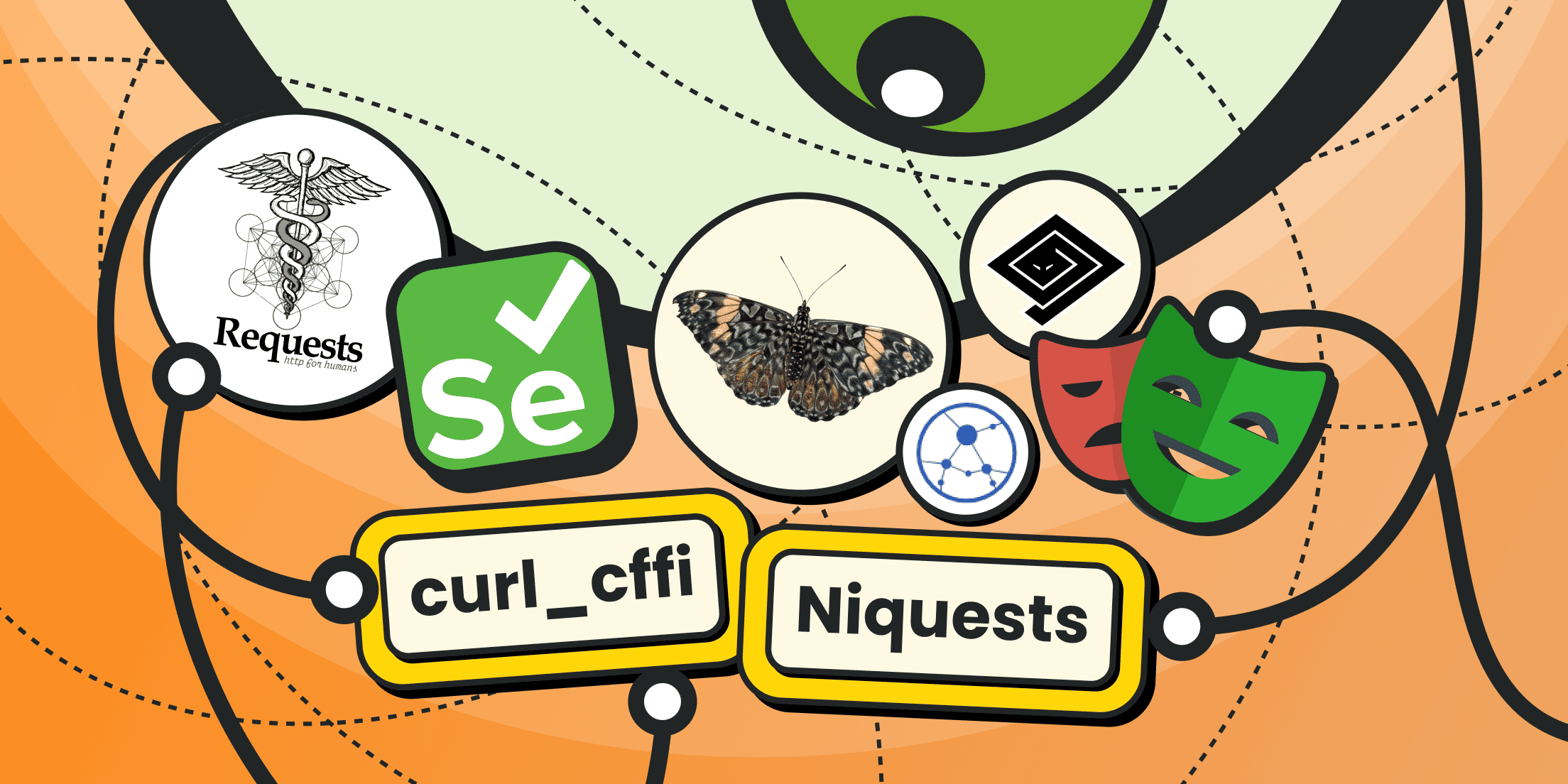
Requests: The Classic Python HTTP Client
Requests is a wrapper around the low-level urllib3 library (which is itself a very popular Python HTTP client). Requests is usually recommended to beginners for a quick start, because it requires very little code to make calls in scripts.
What it can do:
- Lets you quickly prototype scrapers: send direct requests (with or without parameters), set custom headers, work with cookies, handle redirects and HTML forms.
- Supports sessions (which speeds up data processing by reusing connections).
- Supports automatic decompression of response bodies/pages.
- Provides convenient helper methods for working with JSON payloads.
- Automatically detects character encodings.
- Supports configurable timeouts.
There is a huge amount of existing code, tutorials, and usage examples built around Requests.
Its drawbacks include:
- Relatively low performance (especially compared to HTTPX or aiohttp).
- No built-in async support.
- Weak capabilities when working with a large number of concurrent connections.
- No HTTP/2 support.
In general, for Python scraping, Requests is best suited to small, single-threaded projects. Anything more complex will require a significant amount of additional code for wrappers and missing functionality.
A sample of Requests parsing:
import requests
from bs4 import BeautifulSoup

# Target URL
url = "https://example.com/search"

# Request parameters
params = {
    "q": "python",
    "page": 1
}

# Send the GET-request
response = requests.get(url, params=params, timeout=10)

# Check the request's success
response.raise_for_status()

# Extract HTML
html = response.text

# Transfer to parser
soup = BeautifulSoup(html, "html.parser")

# A sample of data extraction
title = soup.find("h1").get_text(strip=True)
print(title)
HTTPX: Modern Sync + Async Alternative
HTTPX is a next-generation HTTP client built on the same ideas as Requests, but with built-in async support and HTTP/2 out of the box. It’s an excellent choice for more complex projects. Some of its key features include:
- Support for both synchronous and asynchronous requests.
- Native HTTP/2 support.
- Improved handling of large connection pools and flexible timeout configuration.
- Full compatibility with core Requests concepts (low entry barrier and “human-friendly” syntax).
- Support for cookies, headers, forms, JSON, and multipart requests.
- Built-in retry mechanisms, middleware (intermediate layers for request handling, such as proxies) and event hooks.
Similar to Requests, there are plenty of tutorials and example scripts for HTTPX available online.
Its drawbacks include:
- Lower performance compared to curl_cffi.
- The async side requires careful handling of dependencies (notably httpcore).
- In some WAF scenarios, it gets detected more quickly than curl-based libraries.
HTTPX is suitable for projects of any scale: from simple single-threaded scripts to high-load asynchronous systems. It’s an excellent choice if you want to move from Requests to a more modern client without a drastic change in syntax.
aiohttp: Async-First HTTP Client for High Concurrency
aiohttp is one of the most widely used asynchronous HTTP clients for Python. Its main advantage is high performance when sending a large number of requests in parallel. Other important strengths include:
- Asynchronous design, tightly integrated with the asyncio library.
- Excellent concurrency capabilities — handling tens of thousands of successful requests at the same time is entirely realistic.
- Fine-grained configuration of connections, connection pools and limits.
- Support for streaming responses and WebSockets.
This library is a great fit for large scraping systems and distributed Python web crawlers.
Drawbacks:
- The syntax is more verbose than in Requests or HTTPX.
- It can be more difficult to catch exceptions and manage retry logic.
- No native HTTP/2 support (only via third-party wrappers).
Overall, aiohttp is the best choice for systems that require massive, high-load parallel data collection. It’s especially useful when you need to send hundreds of thousands of requests per minute.
curl_cffi: A High-Performance HTTP Client with HTTP/2 and HTTP/3 Support
curl_cffi is a Python wrapper around libcurl that delivers extremely high performance and improved resistance to detection in web scraping scenarios. It supports both HTTP/2 and HTTP/3 and stands out from competitors thanks to flexible, low-level control over the networking stack. Other important advantages include:
- Native support for HTTP/2 and HTTP/3.
- Higher performance than Requests, HTTPX, and aiohttp.
- Better “masquerading” as real browsers thanks to low-level cURL flags.
- Both async and sync modes, with high stability under heavy load.
- Deep control over TLS, ALPN, headers, and User-Agent sets.
Drawbacks:
- The API is more idiosyncratic than Requests/HTTPX, so it takes some getting used to.
- Fewer tutorials and learning materials are available.
- Requires installing additional system libraries.
This library is an excellent choice for complex, production-grade scraping systems in Python, especially where you need to bypass anti-bot protections and scale to hundreds of thousands of simultaneous requests.
Niquests: A Powerful Python HTTP Client, 100% Compatible with the Requests API
Niquests is a modern, high-performance HTTP client built on top of urllib3 and httpcore, designed as an improved replacement/alternative to Requests and HTTPX. Its main focus is speed and async support, but the library has more to offer:
- Full syntax compatibility with Requests (you don’t even need to rewrite your code 0- it’s enough to import it correctly, e.g. import niquests as requests, and that’s it).
- Built-in request multiplexing.
- Support for HTTP/1.1, HTTP/2, and HTTP/3.
- An extensions system, including support for SOCKS proxies.
- Out-of-the-box support for proxies with authentication.
- An adaptive retry mechanism.
- Custom DNS resolution logic.
It’s also worth highlighting the built-in monitoring and metrics collection mechanisms. According to benchmarks, Niquests really does deliver a speed boost — roughly 2-3x faster, depending on the workload.
Drawbacks:
- It’s still a relatively young library, so the community is smaller than that of Requests.
- Some features are still in testing, such as HTTP/3 support.
- It requires more dependencies to unlock its full set of capabilities.
Niquests is an ideal drop-in replacement for Requests in existing Python web-scraping scripts. In many cases, you only need to change the import line. At the same time, you get modern features like async support, proxy handling, HTTP/2, HTTP/3, and more.
Other Python HTTP Clients Worth Knowing

Below are not so many HTTP clients as alternative solutions that can help with scraping modern websites. As mentioned at the beginning, site protection is getting increasingly sophisticated, and classic HTTP clients are losing relevance. In many cases, you simply can’t scrape a page anymore with raw HTTP requests alone.
Playwright: A Tool for Browser-Based Scraping
Playwright - is one of the most popular web drivers — a framework for automating Chromium, Firefox, and WebKit browsers. It’s indispensable for scraping complex sites that rely on dynamic JavaScript. Its key strengths include:
- Works like a real browser, which significantly reduces the chances of triggering anti-bot protection.
- No need to install and configure a separate engine for rendering JavaScript, SPAs, or dynamic UIs: the browser simply returns the final HTML with the actual DOM structure.
- Built-in tools for screenshots, generating PDF versions of pages and DOM inspection.
- Asynchronous API and higher speed compared to Selenium.
- Ability to simulate real user actions and behavior.
Drawbacks:
- The scraping workflow becomes noticeably more complex. You first have to load the page in the browser, wait for it to fully render, and only then retrieve the HTML.
- Very high consumption of computing resources.
- Low throughput for large-scale scraping (processing long URL lists will require either a lot of RAM or a lot of time).
- Controlling a browser is significantly more complex than sending plain HTTP requests.
Playwright really shines when scraping complex, WAF-protected websites, as well as in scenarios where you can’t obtain the final HTML via HTTP requests alone (for dynamic pages with a heavy JavaScript footprint).
Selenium: A Veteran of Browser Automation
Selenium is the oldest and best-known tool for browser automation. It’s often used where visual control is required or where you need complex interaction scenarios with websites. Compared to newer competitors, it stands out with the following advantages:
- Support for all modern browsers (including less common ones, not just Chromium or Firefox).
- A mature ecosystem and extensive documentation.
- Flexible control over the DOM, forms, clicks, and scrolling, plus its own system for working with locators and extracting data.
- Implementations in multiple programming languages (not just Python), all using a unified syntax.
- Built-in tools for debugging and intercepting network requests.
- Ability to execute arbitrary JavaScript code inside pages.
- Selenium Grid for distributed execution.
Its drawbacks are typical for all web drivers:
- Slow and resource-heavy for large-scale scraping.
- The scraping workflow becomes significantly more complex.
- Instead of just sending HTTP requests, you’re effectively launching a full browser instance.
Selenium remains popular and hasn’t yet ceded its leading position to newer tools in this niche. It’s an ideal solution for building complex distributed Python scrapers for JavaScript-heavy sites, as well as for bypassing advanced protection systems and testing web applications.
treq: A High-Level HTTP Client Built on Twisted
treq is an HTTP client that aims for the simplicity of Requests-style syntax, but instead of being built on urllib3, it’s based on the Twisted framework (a powerful library for building custom client-server solutions). It’s a niche tool, but it’s used in large ecosystems — think “hardcore enterprise sector.” For reference, Scrapy can work together with Twisted.
Advantages:
- Native integration with Twisted-based applications.
- Support for a large number of parallel processes and requests.
- All common HTTP methods are available, with especially convenient syntax for GET/POST/JSON (which are exactly what you usually care about in scraping).
- HTTP/2 and SSL certificate support.
- Convenient access to errors and metadata in HTTP responses.
- Asynchronous and parallel requests.
- Reliable session handling.
- Streaming reads/transfers.
- Ability to connect via authenticated proxies.
- Integration with Scrapy.
Drawbacks:
- Requires knowledge of Twisted (high entry barrier).
- Limited popularity and fewer up-to-date examples.
Using treq is mainly justified in large asynchronous systems that already rely on the Twisted framework. For simple Python web scraping, it will often be overkill.
Best Practices for Using HTTP Clients in Scrapers

HTTP clients are losing ground in web scraping because website developers are massively switching to JavaScript frameworks and site builders. Put simply, sites are no longer returning clean HTML. But even where JavaScript isn’t heavily used yet, you still need to follow certain rules so your scraper doesn’t get blocked.
- Plan your delay logic carefully. You shouldn’t send requests to the same site one after another without pauses. The server may not cope with the load or may classify your traffic as dangerous or malicious. The more natural your delays look (not at perfectly equal intervals), the lower the risk of being blocked.
- Keep an eye on sessions and cookies. The server can pass special tokens inside cookies, as well as other important markers. The fewer reconnects you make, the lower your resource usage and network traffic.
- It’s a great idea to implement caching and state persistence for your scraper so that, in case of errors, you don’t have to start everything from scratch.
- Don’t use POST requests where they aren’t needed. The main workhorse method for interacting with a site is GET.
- Use realistic User-Agent strings and device/browser fingerprints.
- Always connect to sites through proxies - for your own safety and to get around common blocking mechanisms. The most trusted proxies are mobile ones, but for business tasks, residential proxies or server-based proxies with automatic rotation can be just as effective.
Here is a complete guide to successful scraping without getting blocked.
Conclusion
Python is a clear leader among languages for web scraping, and not by accident. It offers the most comprehensive ecosystem and an exhaustive selection of ready-made libraries. HTTP clients in Python are no exception. There are options for virtually any task and requirement. The go-to tool for beginners is Requests, for high-load projects you have aiohttp and HTTPX, and for JavaScript-heavy sites Playwright and Selenium are practically indispensable. New Python HTTP clients keep appearing as well. A good example is libraries like Niquests, which offer advanced features such as HTTP/3 support and multiplexing.
When building your own scrapers, always start with the simplest solution and move on to more complex tools only when truly necessary. Corporate-grade tools should be chosen differently - there the decision will depend on the project’s initial requirements and the frameworks already in use.
HTTP clients on their own can’t bypass restrictions and anti-bot policies. But most scraping problems can be solved through proper scraper logic design and high-quality fingerprint emulation. Another critical factor for avoiding blocks is good proxies. You can rent turnkey proxies from us: Froxy provides 120+ million residential and mobile IP addresses with automatic rotation.
And of course, always keep scraping ethics in mind: respect the rules in robots.txt, add natural delays between requests, and avoid putting excessive load on target servers.